 Slaw
Slaw
Have you ever been watching a race and the guy in fifth is on an absolute heater. Like, scorched earth, James Stewart KX heater?!?! Then, you thought: I wonder if he set the fastest lap that moto and by how much?
Well, now you have an answer to that question within seconds.
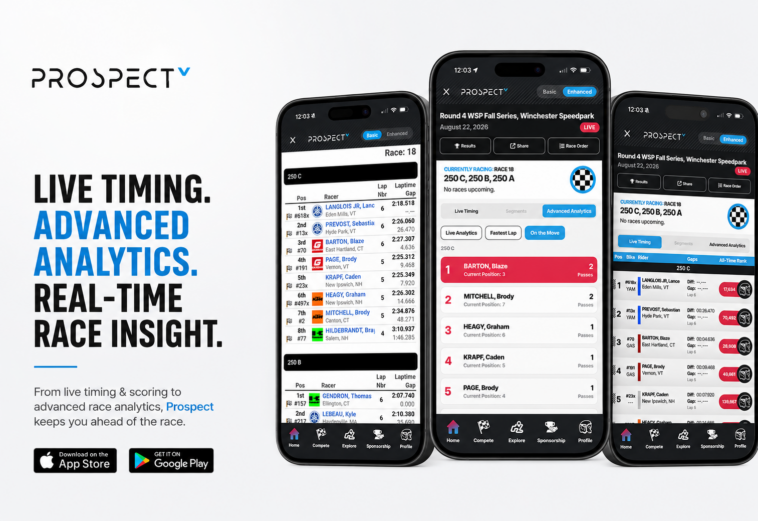
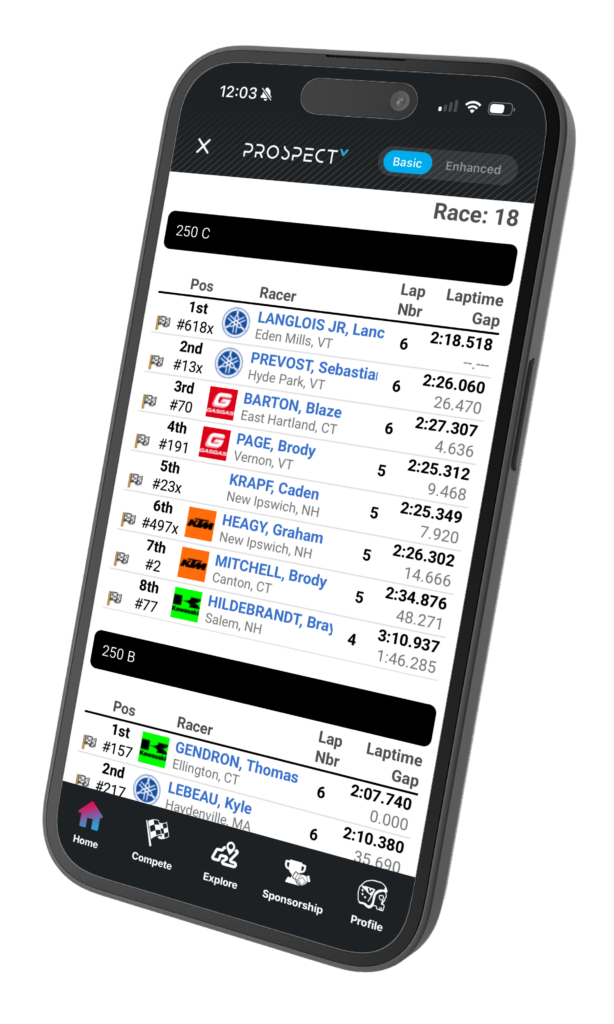
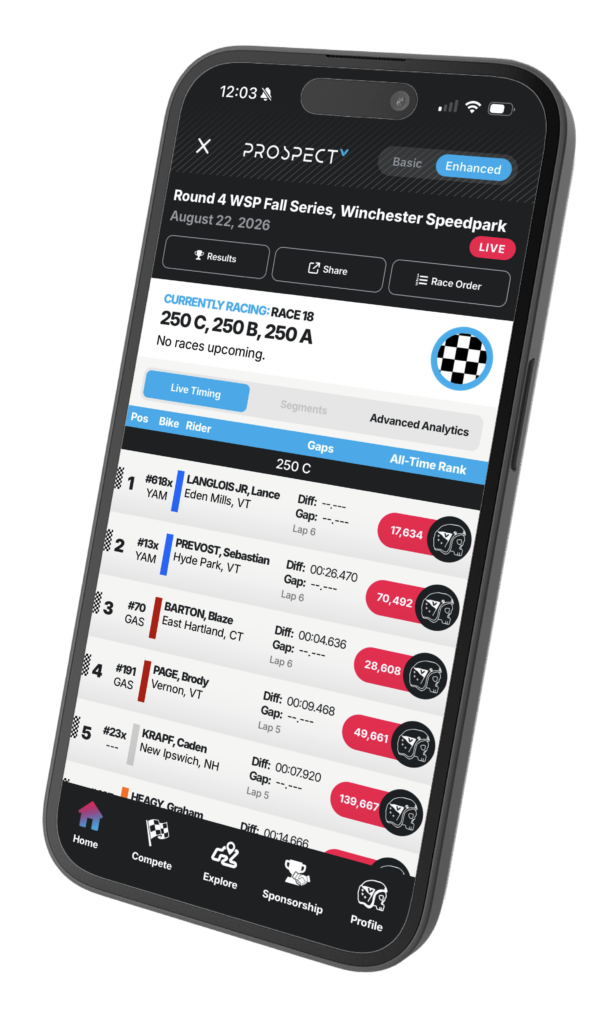
Inside the Prospect app, powered by Vurbmoto, (FREE to download and get all this stuff, FYI. So quit waiting and try it) we have what is called Enhanced Live Timing. I could use some fancy words here and tell you about the sabermetrics or whatever of it all. Simply: We’ve streamlined all the data that you want to see in one awesome user interface. Here are some screenshots so show you:
WITHOUT ENHANCED
WITH ENHANCED TURNED ON
So, how does it work? First, download the app on the App Store or Google Play. It’s free. No excuses as to why it’s not already the #1 app on your phone.


Then, click on live timing. If for some reason you are already seeing enhanced, click the toggle button in the top right hand corner and switch to it. Now, you are experiencing the true power of the app.
So, what does it all do? Let me explain:
Is Someone Actually Catching the Leader?
This might be our favorite one. You’re watching timing and P1 has a five-second lead. P2 crosses the line and now it’s 4.2. Next lap, 3.5. Then 2.8. Enhanced shows the gap to the leader AND the rider directly ahead, so you can follow that battle as it develops instead of waiting until the positions finally flip.
Live Analytics makes it even easier. If a rider is consistently quicker and chopping into the gap, it’ll tell you. Basically, you can see the pass coming before there’s a pass.
Who’s Actually Fast?
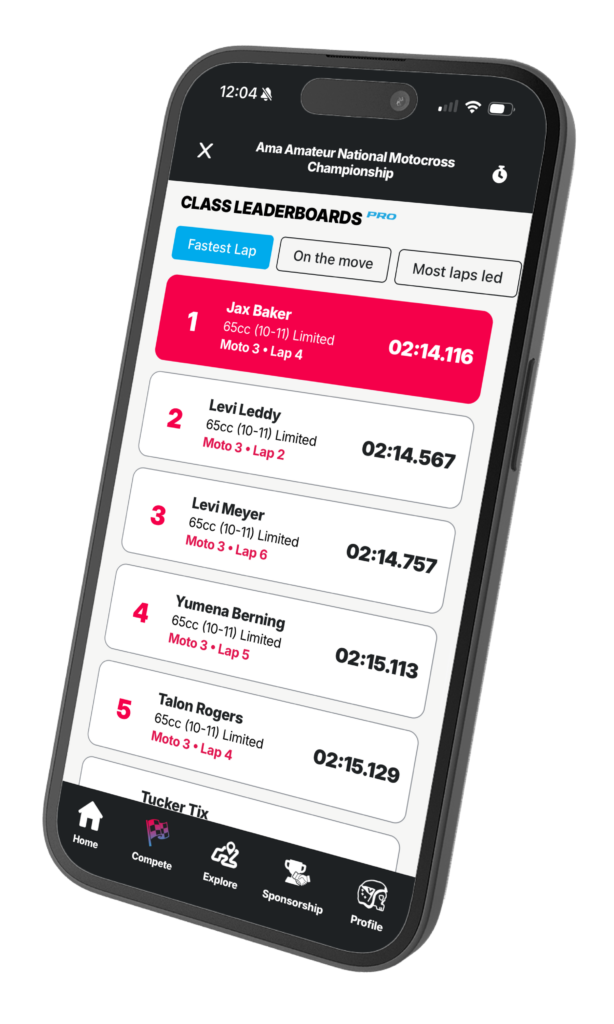
This is where things get fun. The leaderboard tells you who’s leading the race. That doesn’t necessarily tell you who’s the fastest rider on the track. Maybe someone buried themselves off the start and is sitting 12th. On paper? Twelfth place.
Then you open Fastest Lap and realize they’re P1 in pace. Now we’re watching them. Fastest Lap ranks everyone by outright lap time while still showing their actual race position. It gives you a completely different way to look at a moto, especially when someone is coming from the back.
Who’s On a Heater Through the Pack?
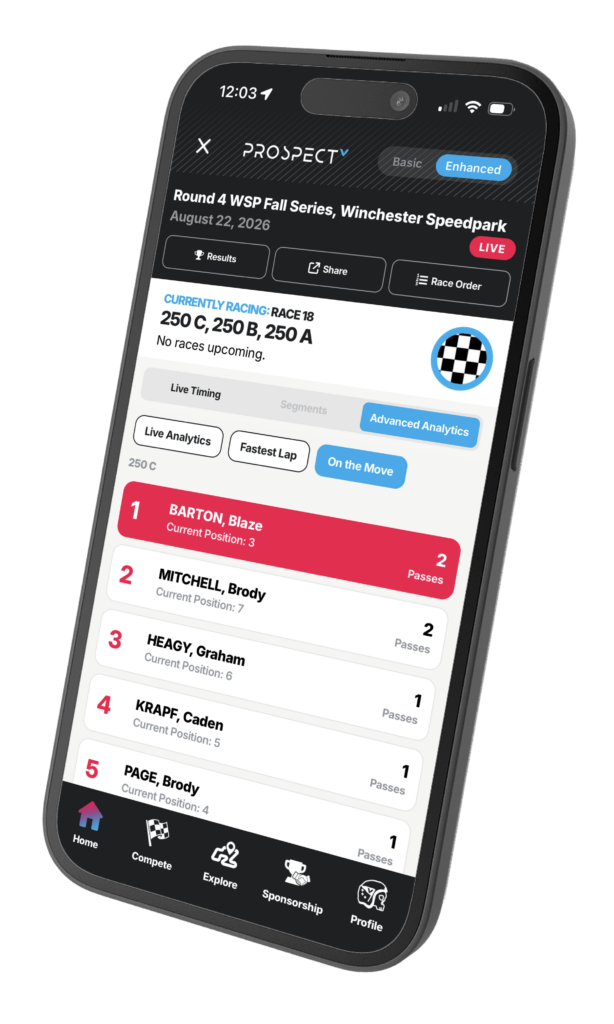
Same idea, different stat. A rider running seventh doesn’t immediately jump off a timing screen. A rider running seventh after starting 19th certainly does.
On the Move tracks passes and shows who has gained the most positions during the moto. Sometimes the best ride of the race isn’t happening anywhere near the lead. This makes those rides a whole lot harder to miss. And yes, this will absolutely become another stat for bench-racing arguments.
Okay, But HOW Did They Get There?
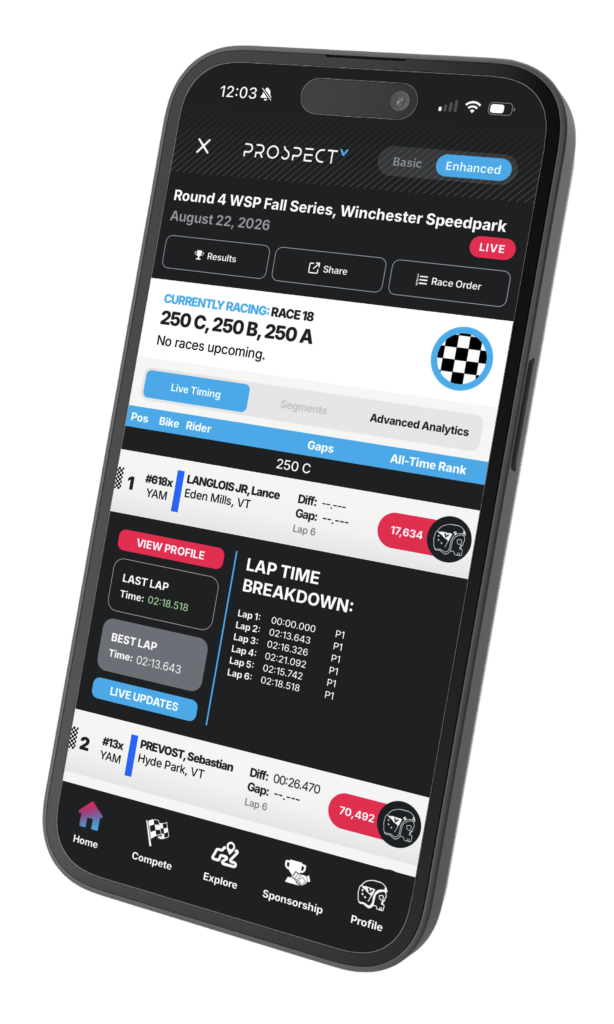
This is where you can really go down the rabbit hole. Tap a rider and you can see their entire moto developing lap by lap.
Maybe they went P12, P9, P7, P5. Maybe their best lap came halfway through the moto. Maybe their lap times fell off a cliff with three laps to go. Maybe they were catching someone, got stuck behind them for four laps and then started moving again. Instead of seeing the end result, you can basically retrace how they got there.
Where Are They Faster?
Now we’re getting properly nerdy. When section timing is available, you don’t just know that Rider A is faster than Rider B. You can start figuring out where they’re doing it. One rider might be killing everyone through one section of the track and losing all of it somewhere else. For riders, parents and teams, there’s obviously a lot you can do with that information. For the rest of us? More bench racing material.
Put the Ride Into Context
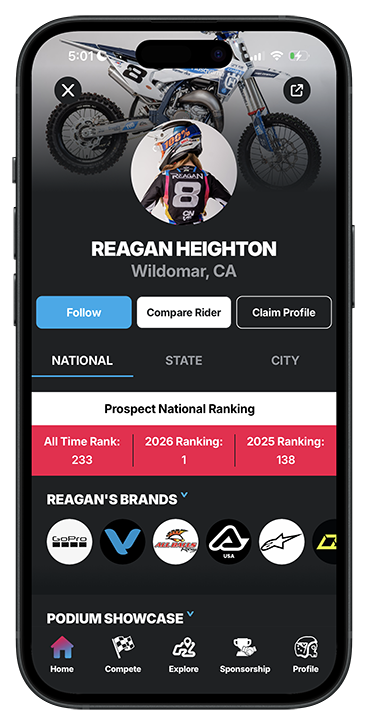
This is another part we wanted because sometimes a name on live timing doesn’t tell you much. Tap into the rider and you can see more than just what they’re doing in this particular moto — hometown, bike brand, current series position, Prospect ranking and more.
So when some kid you’ve never heard of suddenly pops up P3 on the fastest-lap board, you can figure out pretty quickly who they are and whether this is coming out of nowhere. Which, if we’re being honest, is usually when live timing gets the most interesting.
Basically, Start Clicking Around
That might be the best advice. Enhanced Live Timing isn’t really about adding more numbers to a timing screen. There were already plenty of those. It’s about making those numbers actually tell you something.
Check the gaps. Jump over to Fastest Lap. See who’s On the Move. Tap into the rider charging from 18th. Look at their lap progression. Check where they’re making time. You’ll probably start finding your own ways to use it. Because knowing who’s P1 is cool. Knowing P2 is two seconds a lap faster and coming? Now you are more informed than anyone else in the room… unless they are also using Prospect of course.